Effortlessly create and print shipping labels with Sendcloud
Create and print your shipping label quickly and easily with Sendcloud. Whether you’re shipping domestically or internationally, our all-in-one platform offers seamless integration with all major carriers and your e-commerce shop system. Save time, reduce errors, and optimize your shipping today.

“We used to create 20 labels in 8 hours, but with Sendcloud, we now create 120 in just 2 hours.”
Black Racks

All-in-one shipping solution
Sendcloud’s shipping label software integrates with all leading carriers, giving you a single platform to manage your entire shipping process. From label creation to tracking, handle every step without switching between different tools—saving you time and money.

Automate label creation
Simplify your workflow by automating shipping label generation for each order. Reduce manual input, save time, and ensure accuracy with just a few clicks.

Print labels for multiple carriers
With Sendcloud, you can print shipping labels for all major carriers from a single platform. No need to juggle multiple systems—our solution provides seamless integration with a wide range of carriers, simplifying your shipping process.
All-in-one shipping solution
Sendcloud’s shipping label software integrates with all leading carriers, giving you a single platform to manage your entire shipping process. From label creation to tracking, handle every step without switching between different tools—saving you time and money.
Automate label creation
Simplify your workflow by automating shipping label generation for each order. Reduce manual input, save time, and ensure accuracy with just a few clicks.
Print labels for multiple carriers
With Sendcloud, you can print shipping labels for all major carriers from a single platform. No need to juggle multiple systems—our solution provides seamless integration with a wide range of carriers, simplifying your shipping process.
All-in-one shipping solution
Sendcloud’s shipping label software integrates with all leading carriers, giving you a single platform to manage your entire shipping process. From label creation to tracking, handle every step without switching between different tools—saving you time and money.
Automate label creation
Simplify your workflow by automating shipping label generation for each order. Reduce manual input, save time, and ensure accuracy with just a few clicks.
Print labels for multiple carriers
With Sendcloud, you can print shipping labels for all major carriers from a single platform. No need to juggle multiple systems—our solution provides seamless integration with a wide range of carriers, simplifying your shipping process.
How does our shipment tracking software work?
How it works: Step-by-step guide to creating a shipping label
Step 1: Integrate your e-commerce store with Sendcloud to import orders from the last 30 days.
Step 2: Click the pen icon next to an order to edit shipping methods, addresses, or other details.
Step 3: Choose the orders you want to label and click Create labels to download PDF labels or print shipping labels automatically.
Step 4: Keep your customers informed by using Sendcloud’s tracking feature to send automated shipping notifications, ensuring they stay updated on the status of their deliveries.

Get the best carrier rates
Simplify your label printing with a barcode scanner
Generate shipping labels quickly by scanning the barcode of your products to improve accuracy and speed up the labeling process. Make your packing process even more efficient with our single scan feature, which lets you print shipping labels with just one scan of a barcode scanner, boosting productivity and reducing errors.


Shipping automation rules
Set up automation rules based on order criteria to optimize your label creation, reducing manual work and improving efficiency.
Customize your shipping label
Personalize your online shipping labels with your logo, strengthening your brand identity and improving the customer experience.
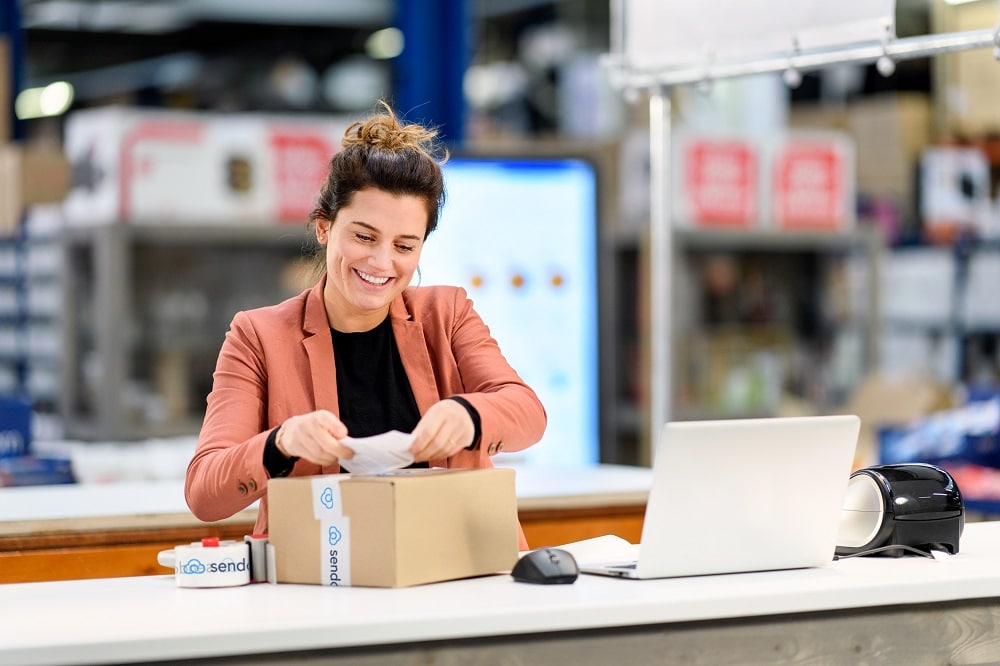

Print shipping documents with your shipping label
Automatically print essential shipping documents such as picking lists, packing slips, and customs forms (like CN22, CN23) alongside your shipping labels. This integration ensures a seamless packing experience, reducing manual work and keeping your shipping process organized and efficient.
What our customers say
At Sendcloud, our customers are at the heart of everything we do. Their feedback drives us to innovate, adapt, and stay flexible in meeting the ever-changing demands of today’s market.


Kleir 🇧🇪
“Shipping orders manually used to take over 10 minutes, now with Sendcloud less than 2.”


Jade Roller 🇫🇷
"We used to need at least 5 minutes to process each order, but now, thanks to Sendcloud, 45 seconds is enough. It's a huge time-saver."


Black Racks 🇪🇸
"We used to create 20 labels in 8 hours, but with Sendcloud, we now create 120 in just 2 hours."


Duke Distillery 🇩🇪
"Processes that used to take an hour can now be completed in just a few minutes."


Café Belleville 🇫🇷
"We've reduced the time spent creating shipping labels by 70%"


NKM 🇫🇷
"With Sendcloud, I was able to pack 3x as many packages as before. The tool made it incredibly easy to create labels"


Woodwatch 🇳🇱
"International shipping can be hard because you have to fill out a lot of forms for every shipment. Sendcloud offers us the possibility to automate this process."
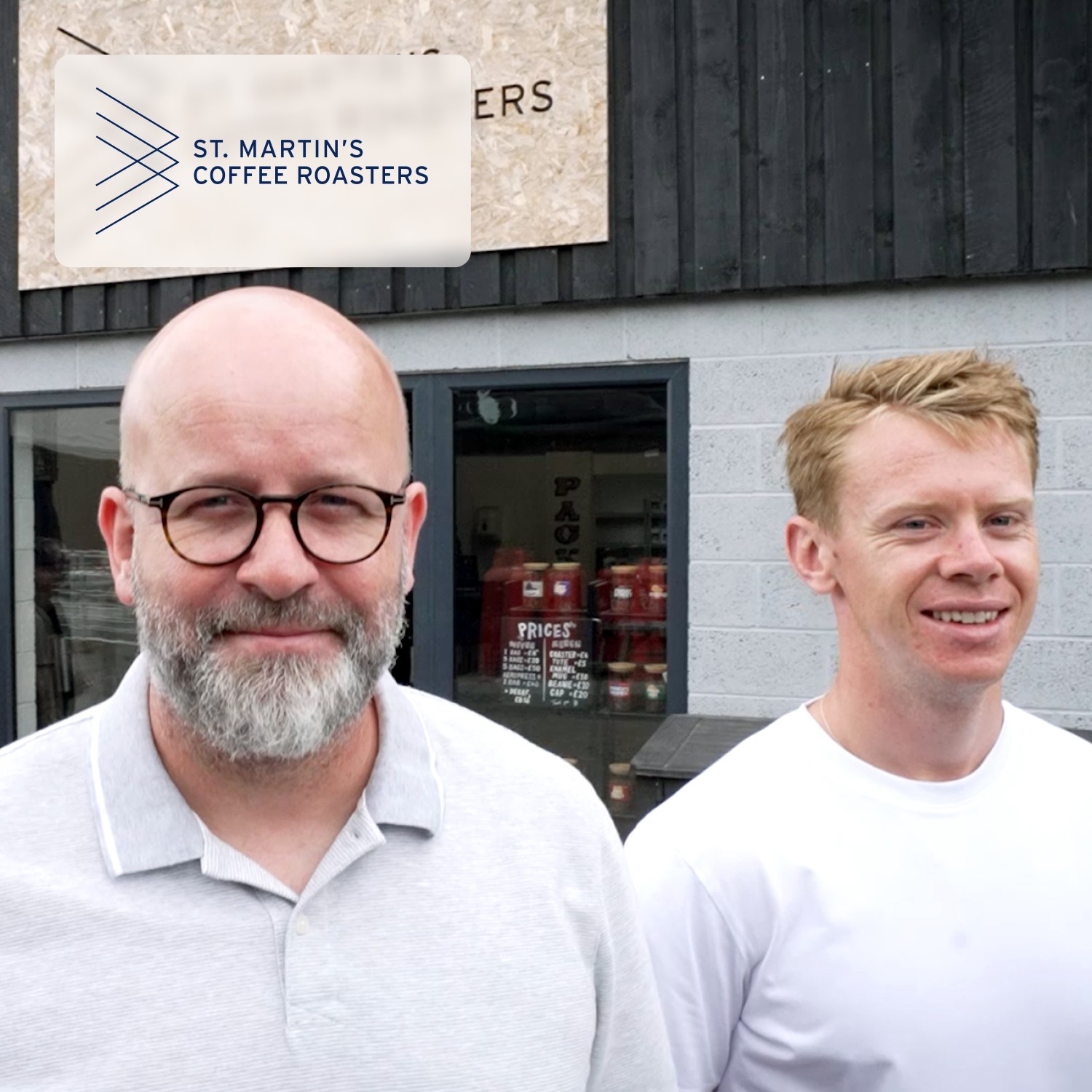

St Martin’s Coffee Roasters 🇬🇧
"Before Sendcloud we used to waste hours each week manually typing in orders. With Sendcloud we can match up the order sheet with the labels in seconds. The days of frantically chasing around parcels that don’t match up on the list are thankfully a thing of the past."
Kleir 🇧🇪
“Shipping orders manually used to take over 10 minutes, now with Sendcloud less than 2.”
Jade Roller 🇫🇷
"We used to need at least 5 minutes to process each order, but now, thanks to Sendcloud, 45 seconds is enough. It's a huge time-saver."
Black Racks 🇪🇸
"We used to create 20 labels in 8 hours, but with Sendcloud, we now create 120 in just 2 hours."
Duke Distillery 🇩🇪
"Processes that used to take an hour can now be completed in just a few minutes."
Café Belleville 🇫🇷
"We've reduced the time spent creating shipping labels by 70%"
NKM 🇫🇷
"With Sendcloud, I was able to pack 3x as many packages as before. The tool made it incredibly easy to create labels"
Woodwatch 🇳🇱
"International shipping can be hard because you have to fill out a lot of forms for every shipment. Sendcloud offers us the possibility to automate this process."
St Martin’s Coffee Roasters 🇬🇧
"Before Sendcloud we used to waste hours each week manually typing in orders. With Sendcloud we can match up the order sheet with the labels in seconds. The days of frantically chasing around parcels that don’t match up on the list are thankfully a thing of the past."
Kleir 🇧🇪
“Shipping orders manually used to take over 10 minutes, now with Sendcloud less than 2.”
Jade Roller 🇫🇷
"We used to need at least 5 minutes to process each order, but now, thanks to Sendcloud, 45 seconds is enough. It's a huge time-saver."
Black Racks 🇪🇸
"We used to create 20 labels in 8 hours, but with Sendcloud, we now create 120 in just 2 hours."
Duke Distillery 🇩🇪
"Processes that used to take an hour can now be completed in just a few minutes."
Café Belleville 🇫🇷
"We've reduced the time spent creating shipping labels by 70%"
NKM 🇫🇷
"With Sendcloud, I was able to pack 3x as many packages as before. The tool made it incredibly easy to create labels"
Woodwatch 🇳🇱
"International shipping can be hard because you have to fill out a lot of forms for every shipment. Sendcloud offers us the possibility to automate this process."
St Martin’s Coffee Roasters 🇬🇧
"Before Sendcloud we used to waste hours each week manually typing in orders. With Sendcloud we can match up the order sheet with the labels in seconds. The days of frantically chasing around parcels that don’t match up on the list are thankfully a thing of the past."
Kleir 🇧🇪
“Shipping orders manually used to take over 10 minutes, now with Sendcloud less than 2.”
Jade Roller 🇫🇷
"We used to need at least 5 minutes to process each order, but now, thanks to Sendcloud, 45 seconds is enough. It's a huge time-saver."
Black Racks 🇪🇸
"We used to create 20 labels in 8 hours, but with Sendcloud, we now create 120 in just 2 hours."
Duke Distillery 🇩🇪
"Processes that used to take an hour can now be completed in just a few minutes."
Café Belleville 🇫🇷
"We've reduced the time spent creating shipping labels by 70%"
NKM 🇫🇷
"With Sendcloud, I was able to pack 3x as many packages as before. The tool made it incredibly easy to create labels"
Woodwatch 🇳🇱
"International shipping can be hard because you have to fill out a lot of forms for every shipment. Sendcloud offers us the possibility to automate this process."
St Martin’s Coffee Roasters 🇬🇧
"Before Sendcloud we used to waste hours each week manually typing in orders. With Sendcloud we can match up the order sheet with the labels in seconds. The days of frantically chasing around parcels that don’t match up on the list are thankfully a thing of the past."
What our customers say
At Sendcloud, our customers are at the heart of everything we do. Their feedback drives us to innovate, adapt, and stay flexible in meeting the ever-changing demands of today’s market.
Kleir 🇧🇪
“Shipping orders manually used to take over 10 minutes, now with Sendcloud less than 2.”
Jade Roller 🇫🇷
"We used to need at least 5 minutes to process each order, but now, thanks to Sendcloud, 45 seconds is enough. It's a huge time-saver."
Black Racks 🇪🇸
"We used to create 20 labels in 8 hours, but with Sendcloud, we now create 120 in just 2 hours."
Duke Distillery 🇩🇪
"Processes that used to take an hour can now be completed in just a few minutes."
Café Belleville 🇫🇷
"We've reduced the time spent creating shipping labels by 70%"
NKM 🇫🇷
"With Sendcloud, I was able to pack 3x as many packages as before. The tool made it incredibly easy to create labels"
Woodwatch 🇳🇱
"International shipping can be hard because you have to fill out a lot of forms for every shipment. Sendcloud offers us the possibility to automate this process."
St Martin’s Coffee Roasters 🇬🇧
"Before Sendcloud we used to waste hours each week manually typing in orders. With Sendcloud we can match up the order sheet with the labels in seconds. The days of frantically chasing around parcels that don’t match up on the list are thankfully a thing of the past."
Kleir 🇧🇪
“Shipping orders manually used to take over 10 minutes, now with Sendcloud less than 2.”
Jade Roller 🇫🇷
"We used to need at least 5 minutes to process each order, but now, thanks to Sendcloud, 45 seconds is enough. It's a huge time-saver."
Black Racks 🇪🇸
"We used to create 20 labels in 8 hours, but with Sendcloud, we now create 120 in just 2 hours."
Duke Distillery 🇩🇪
"Processes that used to take an hour can now be completed in just a few minutes."
Café Belleville 🇫🇷
"We've reduced the time spent creating shipping labels by 70%"
NKM 🇫🇷
"With Sendcloud, I was able to pack 3x as many packages as before. The tool made it incredibly easy to create labels"
Woodwatch 🇳🇱
"International shipping can be hard because you have to fill out a lot of forms for every shipment. Sendcloud offers us the possibility to automate this process."
St Martin’s Coffee Roasters 🇬🇧
"Before Sendcloud we used to waste hours each week manually typing in orders. With Sendcloud we can match up the order sheet with the labels in seconds. The days of frantically chasing around parcels that don’t match up on the list are thankfully a thing of the past."
Kleir 🇧🇪
“Shipping orders manually used to take over 10 minutes, now with Sendcloud less than 2.”
Jade Roller 🇫🇷
"We used to need at least 5 minutes to process each order, but now, thanks to Sendcloud, 45 seconds is enough. It's a huge time-saver."
Black Racks 🇪🇸
"We used to create 20 labels in 8 hours, but with Sendcloud, we now create 120 in just 2 hours."
Duke Distillery 🇩🇪
"Processes that used to take an hour can now be completed in just a few minutes."
Café Belleville 🇫🇷
"We've reduced the time spent creating shipping labels by 70%"
NKM 🇫🇷
"With Sendcloud, I was able to pack 3x as many packages as before. The tool made it incredibly easy to create labels"
Woodwatch 🇳🇱
"International shipping can be hard because you have to fill out a lot of forms for every shipment. Sendcloud offers us the possibility to automate this process."
St Martin’s Coffee Roasters 🇬🇧
"Before Sendcloud we used to waste hours each week manually typing in orders. With Sendcloud we can match up the order sheet with the labels in seconds. The days of frantically chasing around parcels that don’t match up on the list are thankfully a thing of the past."
Kleir 🇧🇪
“Shipping orders manually used to take over 10 minutes, now with Sendcloud less than 2.”
Jade Roller 🇫🇷
"We used to need at least 5 minutes to process each order, but now, thanks to Sendcloud, 45 seconds is enough. It's a huge time-saver."
Black Racks 🇪🇸
"We used to create 20 labels in 8 hours, but with Sendcloud, we now create 120 in just 2 hours."
Duke Distillery 🇩🇪
"Processes that used to take an hour can now be completed in just a few minutes."
Café Belleville 🇫🇷
"We've reduced the time spent creating shipping labels by 70%"
NKM 🇫🇷
"With Sendcloud, I was able to pack 3x as many packages as before. The tool made it incredibly easy to create labels"
Woodwatch 🇳🇱
"International shipping can be hard because you have to fill out a lot of forms for every shipment. Sendcloud offers us the possibility to automate this process."
St Martin’s Coffee Roasters 🇬🇧
"Before Sendcloud we used to waste hours each week manually typing in orders. With Sendcloud we can match up the order sheet with the labels in seconds. The days of frantically chasing around parcels that don’t match up on the list are thankfully a thing of the past."
What our customers say
At Sendcloud, our customers are at the heart of everything we do. Their feedback drives us to innovate, adapt, and stay flexible in meeting the ever-changing demands of today’s market.
Kleir 🇧🇪
“Shipping orders manually used to take over 10 minutes, now with Sendcloud less than 2.”
Jade Roller 🇫🇷
"We used to need at least 5 minutes to process each order, but now, thanks to Sendcloud, 45 seconds is enough. It's a huge time-saver."
Black Racks 🇪🇸
"We used to create 20 labels in 8 hours, but with Sendcloud, we now create 120 in just 2 hours."
Duke Distillery 🇩🇪
"Processes that used to take an hour can now be completed in just a few minutes."
Café Belleville 🇫🇷
"We've reduced the time spent creating shipping labels by 70%"
NKM 🇫🇷
"With Sendcloud, I was able to pack 3x as many packages as before. The tool made it incredibly easy to create labels"
Woodwatch 🇳🇱
"International shipping can be hard because you have to fill out a lot of forms for every shipment. Sendcloud offers us the possibility to automate this process."
St Martin’s Coffee Roasters 🇬🇧
"Before Sendcloud we used to waste hours each week manually typing in orders. With Sendcloud we can match up the order sheet with the labels in seconds. The days of frantically chasing around parcels that don’t match up on the list are thankfully a thing of the past."
Kleir 🇧🇪
“Shipping orders manually used to take over 10 minutes, now with Sendcloud less than 2.”
Jade Roller 🇫🇷
"We used to need at least 5 minutes to process each order, but now, thanks to Sendcloud, 45 seconds is enough. It's a huge time-saver."
Black Racks 🇪🇸
"We used to create 20 labels in 8 hours, but with Sendcloud, we now create 120 in just 2 hours."
Duke Distillery 🇩🇪
"Processes that used to take an hour can now be completed in just a few minutes."
Café Belleville 🇫🇷
"We've reduced the time spent creating shipping labels by 70%"
NKM 🇫🇷
"With Sendcloud, I was able to pack 3x as many packages as before. The tool made it incredibly easy to create labels"
Woodwatch 🇳🇱
"International shipping can be hard because you have to fill out a lot of forms for every shipment. Sendcloud offers us the possibility to automate this process."
St Martin’s Coffee Roasters 🇬🇧
"Before Sendcloud we used to waste hours each week manually typing in orders. With Sendcloud we can match up the order sheet with the labels in seconds. The days of frantically chasing around parcels that don’t match up on the list are thankfully a thing of the past."
Kleir 🇧🇪
“Shipping orders manually used to take over 10 minutes, now with Sendcloud less than 2.”
Jade Roller 🇫🇷
"We used to need at least 5 minutes to process each order, but now, thanks to Sendcloud, 45 seconds is enough. It's a huge time-saver."
Black Racks 🇪🇸
"We used to create 20 labels in 8 hours, but with Sendcloud, we now create 120 in just 2 hours."
Duke Distillery 🇩🇪
"Processes that used to take an hour can now be completed in just a few minutes."
Café Belleville 🇫🇷
"We've reduced the time spent creating shipping labels by 70%"
NKM 🇫🇷
"With Sendcloud, I was able to pack 3x as many packages as before. The tool made it incredibly easy to create labels"
Woodwatch 🇳🇱
"International shipping can be hard because you have to fill out a lot of forms for every shipment. Sendcloud offers us the possibility to automate this process."
St Martin’s Coffee Roasters 🇬🇧
"Before Sendcloud we used to waste hours each week manually typing in orders. With Sendcloud we can match up the order sheet with the labels in seconds. The days of frantically chasing around parcels that don’t match up on the list are thankfully a thing of the past."
Kleir 🇧🇪
“Shipping orders manually used to take over 10 minutes, now with Sendcloud less than 2.”
Jade Roller 🇫🇷
"We used to need at least 5 minutes to process each order, but now, thanks to Sendcloud, 45 seconds is enough. It's a huge time-saver."
Black Racks 🇪🇸
"We used to create 20 labels in 8 hours, but with Sendcloud, we now create 120 in just 2 hours."
Duke Distillery 🇩🇪
"Processes that used to take an hour can now be completed in just a few minutes."
Café Belleville 🇫🇷
"We've reduced the time spent creating shipping labels by 70%"
NKM 🇫🇷
"With Sendcloud, I was able to pack 3x as many packages as before. The tool made it incredibly easy to create labels"
Woodwatch 🇳🇱
"International shipping can be hard because you have to fill out a lot of forms for every shipment. Sendcloud offers us the possibility to automate this process."
St Martin’s Coffee Roasters 🇬🇧
"Before Sendcloud we used to waste hours each week manually typing in orders. With Sendcloud we can match up the order sheet with the labels in seconds. The days of frantically chasing around parcels that don’t match up on the list are thankfully a thing of the past."
Ready to improve your shipping label process?
Take your shipping efficiency to the next level. Explore our resources and get expert tips to enhance your shipping label management and streamline your entire process.

Sendcloud acquires Sendy: simplicity and scale come together
Sendcloud acquires the Dutch shipping platform Sendy. Together, we're making shipping simpler and more scalable for e-commerce businesses at every stage of their growth.
Enterprise
Tracking
Sendcloud’s Post-Purchase Solution, now available in the tools your team already uses
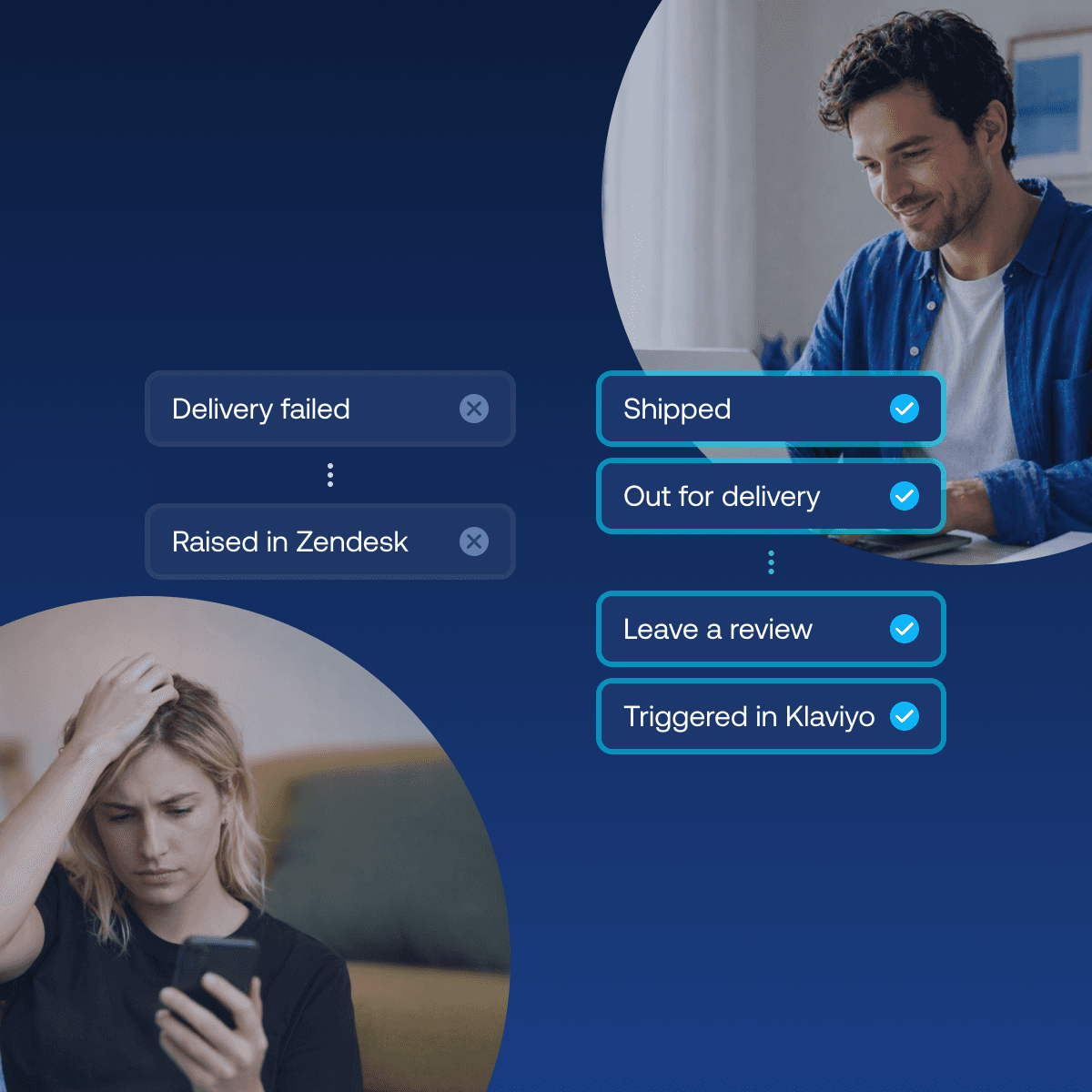
Most retailers leave post-purchase on default, letting carrier notifications and out-of-the-box tracking emails speak for the brand. Sendcloud's Post-Purchase Solution changes that: delivery events now flow straight into the tools your team already uses, like Gorgias, Zendesk, Freshdesk and Klaviyo, turning tracking updates into branded touchpoints, proactive support alerts, and automated claims, no matter which carrier or platform you ship with.

Shipping
Integrations
Best Shopify shipping apps: compare features, pricing & automation
Compare the best Shopify shipping apps for automation, carriers, labels, tracking, returns and international shipping. Find the right app for your store.
FAQs
How do I create a shipping label?
To create a shipping label with Sendcloud, first integrate your e-commerce store to import recent orders. Then, edit order details if needed, select the orders for labeling, and click Create labels to download or print them. Additionally, you can contact one of our team members, who will provide you with more information.
I want to change an order before I print the label - how do I do that?
Simply select the pen icon next to the order you want to change to edit the order. In the order detail view you can change the shipping method, address, insurance amount, contact details, and other order information. You can use the dropdown arrow to make quick changes to the shipping method and insurance.
How do I print shipping labels and what’s the shipping label format?
Once you’ve created your labels, they will appear in the “Created labels” tab. Select the labels you want to print and press the Print button. With Sendcloud, all your labels are created in standard A6 format (105 x 148mm). You can either use a standard laser-jet printer using plain paper or A4 size sticker paper (so you can print 4 labels per A4 sheet), or a specialized thermal label printer which will produce self-adhesive labels in A6 format ready to be stuck on your packages.
Can I print labels in bulk?
Yes, Sendcloud supports bulk printing, making it easy to handle large orders efficiently and save time.
Can I create shipping labels manually?
You can manually create labels by clicking on the + New shipment button on the top right of your screen. You will be taken to a form that you can fill out with your customer’s details and the order details.
Once you have entered all the necessary details, you can click Create label to save the form and print the shipping label. You can also create labels by uploading a spreadsheet of orders from a .CSV file
When does a shipping label expire?
The validity of a label depends on the country and the carrier it’s was created by. We kindly advise you to write to our customer service to have more exact information about the validity of single labels.
How and where do I put the shipping label on the box?
A shipping label is normally placed on the largest side of the package, ideally on the top. The label should be the correct size so it fits entirely on the side where it’s placed.
Ensure it is not folded over any edges; important information might not be seen or be able to be scanned.
How can I create and include return shipping labels in my packages?
With Sendcloud, you can easily create return shipping labels and include them in your packages. Use the prepaid returns feature to automatically generate and print return labels along with your shipping labels in bulk, ensuring a seamless return process for your customers. This feature helps improve customer satisfaction and simplifies the returns workflow for your business.
FAQs
How do I create a shipping label?
To create a shipping label with Sendcloud, first integrate your e-commerce store to import recent orders. Then, edit order details if needed, select the orders for labeling, and click Create labels to download or print them. Additionally, you can contact one of our team members, who will provide you with more information.
I want to change an order before I print the label - how do I do that?
Simply select the pen icon next to the order you want to change to edit the order. In the order detail view you can change the shipping method, address, insurance amount, contact details, and other order information. You can use the dropdown arrow to make quick changes to the shipping method and insurance.
How do I print shipping labels and what’s the shipping label format?
Once you’ve created your labels, they will appear in the “Created labels” tab. Select the labels you want to print and press the Print button. With Sendcloud, all your labels are created in standard A6 format (105 x 148mm). You can either use a standard laser-jet printer using plain paper or A4 size sticker paper (so you can print 4 labels per A4 sheet), or a specialized thermal label printer which will produce self-adhesive labels in A6 format ready to be stuck on your packages.
Can I print labels in bulk?
Yes, Sendcloud supports bulk printing, making it easy to handle large orders efficiently and save time.
Can I create shipping labels manually?
You can manually create labels by clicking on the + New shipment button on the top right of your screen. You will be taken to a form that you can fill out with your customer’s details and the order details.
Once you have entered all the necessary details, you can click Create label to save the form and print the shipping label. You can also create labels by uploading a spreadsheet of orders from a .CSV file
When does a shipping label expire?
The validity of a label depends on the country and the carrier it’s was created by. We kindly advise you to write to our customer service to have more exact information about the validity of single labels.
How and where do I put the shipping label on the box?
A shipping label is normally placed on the largest side of the package, ideally on the top. The label should be the correct size so it fits entirely on the side where it’s placed.
Ensure it is not folded over any edges; important information might not be seen or be able to be scanned.
How can I create and include return shipping labels in my packages?
With Sendcloud, you can easily create return shipping labels and include them in your packages. Use the prepaid returns feature to automatically generate and print return labels along with your shipping labels in bulk, ensuring a seamless return process for your customers. This feature helps improve customer satisfaction and simplifies the returns workflow for your business.
FAQs
How do I create a shipping label?
To create a shipping label with Sendcloud, first integrate your e-commerce store to import recent orders. Then, edit order details if needed, select the orders for labeling, and click Create labels to download or print them. Additionally, you can contact one of our team members, who will provide you with more information.
I want to change an order before I print the label - how do I do that?
Simply select the pen icon next to the order you want to change to edit the order. In the order detail view you can change the shipping method, address, insurance amount, contact details, and other order information. You can use the dropdown arrow to make quick changes to the shipping method and insurance.
How do I print shipping labels and what’s the shipping label format?
Once you’ve created your labels, they will appear in the Created labels tab. Select the labels you want to print and press the Print button.
With Sendcloud, all your labels are created in standard A6 format (105 x 148mm). You can either use a standard laser-jet printer using plain paper or A4 size sticker paper (so you can print 4 labels per A4 sheet), or a specialised thermal label printer which will produce self-adhesive labels in A6 format ready to be stuck on your packages.
Can I print labels in bulk?
Yes, Sendcloud supports bulk printing, making it easy to handle large orders efficiently and save time.
Can I create shipping labels manually?
You can manually create labels by clicking on the + New shipment button on the top right of your screen. You will be taken to a form that you can fill out with your customer’s details and the order details.
Once you have entered all the necessary details, you can click Create label to save the form and print the shipping label. You can also create labels by uploading a spreadsheet of orders from a .CSV file
When does a shipping label expire?
The validity of a label depends on the country and the carrier it’s was created by. We kindly advise you to write to our customer service to have more exact information about the validity of single labels.
How and where do I put the shipping label on the box?
A shipping label is normally placed on the largest side of the package, ideally on the top. The label should be the correct size so it fits entirely on the side where it’s placed.
Ensure it is not folded over any edges; important information might not be seen or be able to be scanned.
How can I create and include return shipping labels in my packages?
With Sendcloud, you can easily create return shipping labels and include them in your packages. Use the prepaid returns feature to automatically generate and print return labels along with your shipping labels in bulk, ensuring a seamless return process for your customers. This feature helps improve customer satisfaction and simplifies the returns workflow for your business.
Start creating your shipping labels today
Start creating your shipping labels today and streamline your entire shipping process with our easy-to-use platform. Whether you’re a small business or growing rapidly, Sendcloud scales with you.
Product
Solutions
Integrations
© 2026 Sendcloud. All Rights Reserved
Chamber of Commerce: 66572959
VAT number: NL856613897B01
Product
Integrations
Solutions
Resources
© 2026 Sendcloud. All Rights Reserved
Chamber of Commerce: 66572959
VAT number: NL856613897B01
Product
© 2026 Sendcloud. All Rights Reserved
Chamber of Commerce: 66572959
VAT number: NL856613897B01